Words in. Meshes out.
Designing the camping trailer with sentences: an image goes to an AI mesh generator, an LLM implements the result inside Blender — imports, frames, segments, names, exports — and a web configurator gets swappable parts at the end. The full loop ran on 15 August with no human touching Blender.
1 · The proof — one render, one mesh, zero clicks
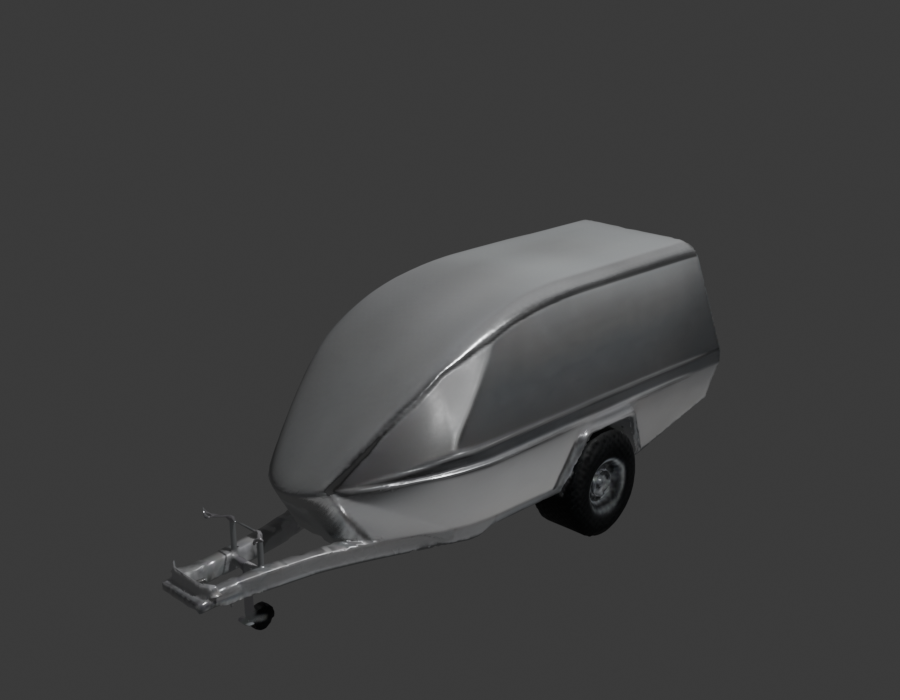
Left: the June v9 raked-nose render of the trailer. Right: what came back twenty minutes after the words "use Rodin and get your LLM to implement the mesh" — Hyper3D Rodin turned the render into a 23,332-triangle GLB, and Claude pushed it over the tailnet into a running Blender 5.1.2 through the official Blender MCP bridge, imported it, hid the default cube, framed the camera and rendered this receipt. Nobody opened Blender.


1b · The construction-true build — same day, opposite method
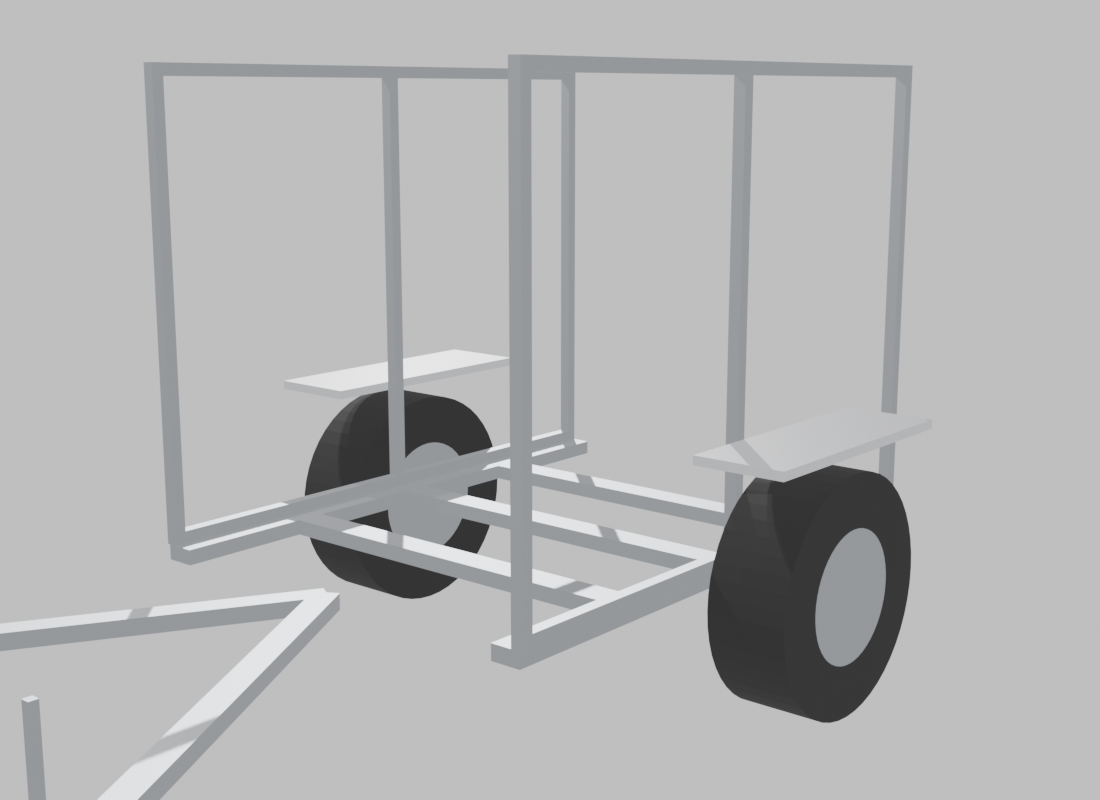
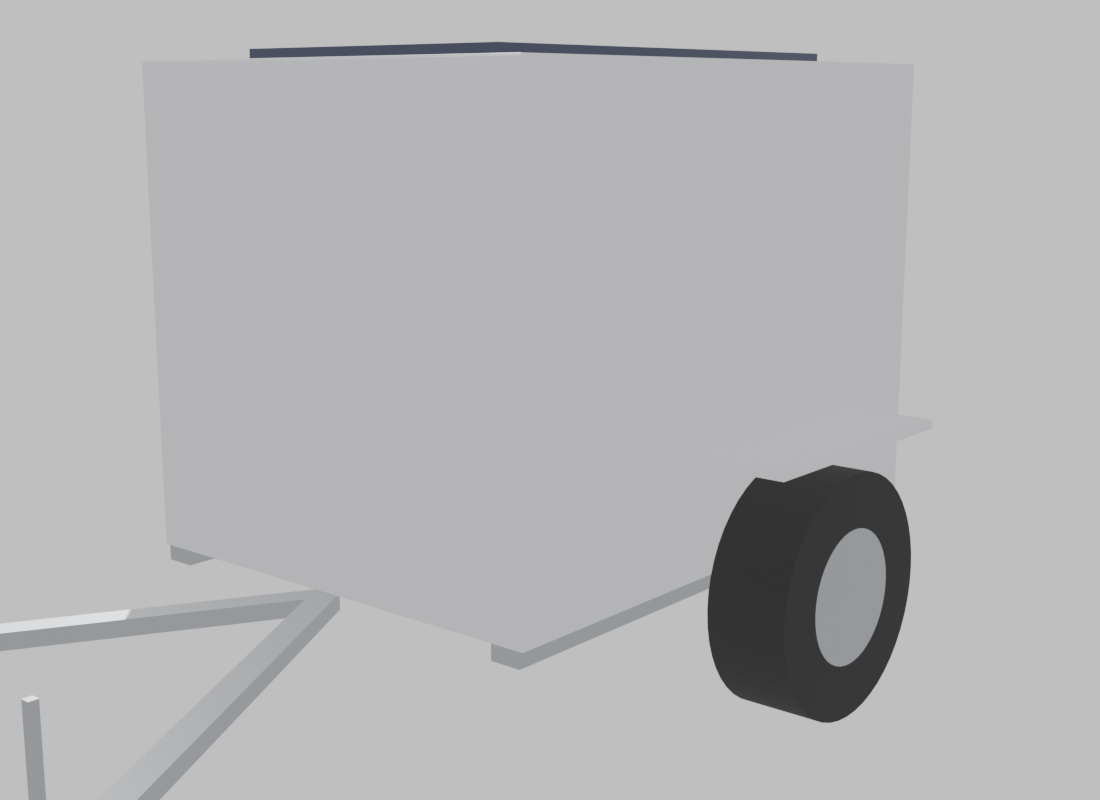
The Rodin mesh proves speed; this proves understanding. Asked to show the underlying geometry — flat steel frame, straight members, flat aluminium with turned edges — the LLM built the trailer the way it's actually made, from a parameter block you can edit: chassis rails and cross members first, then pillars and side rails, then 4mm panels with a 20mm turned-edge fold, then running gear. 34 named parts, 1,464 triangles total — against the AI blob's 23,332 for a single fused object. Change body_len, add a mid_pillar, move axle_from_rear — re-run, and every panel and wheel follows.
The correction loop — 16 fixes later, same afternoon
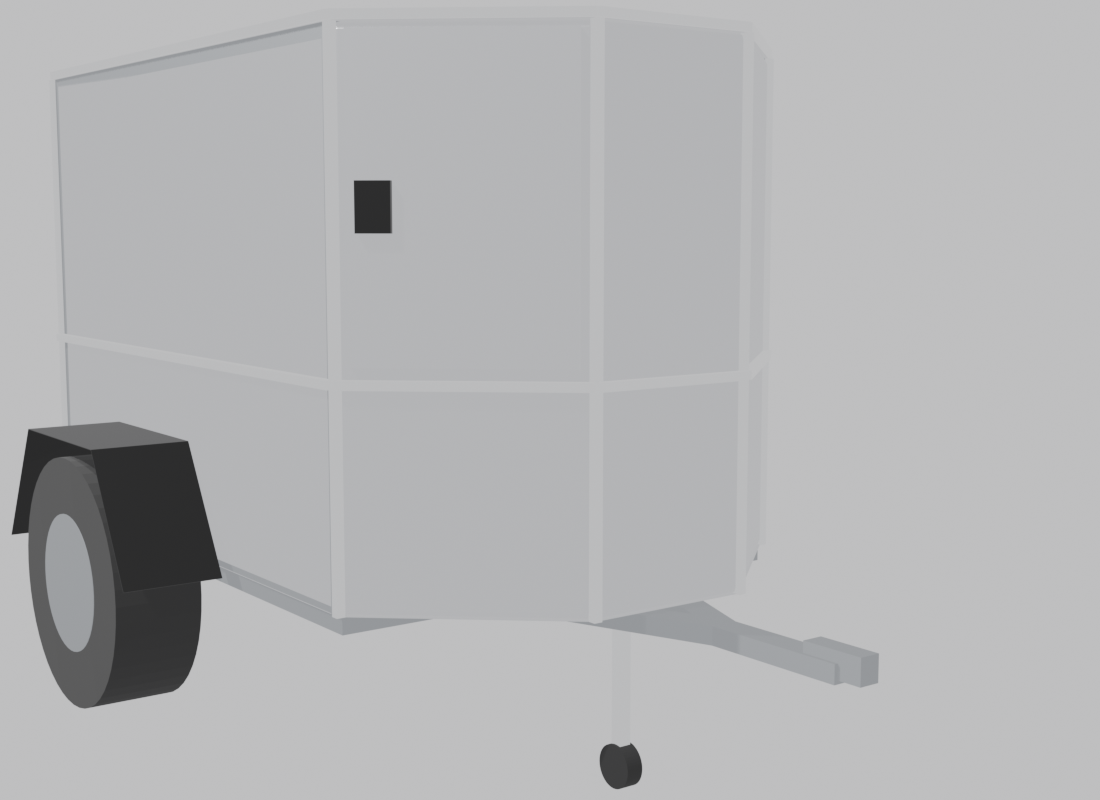
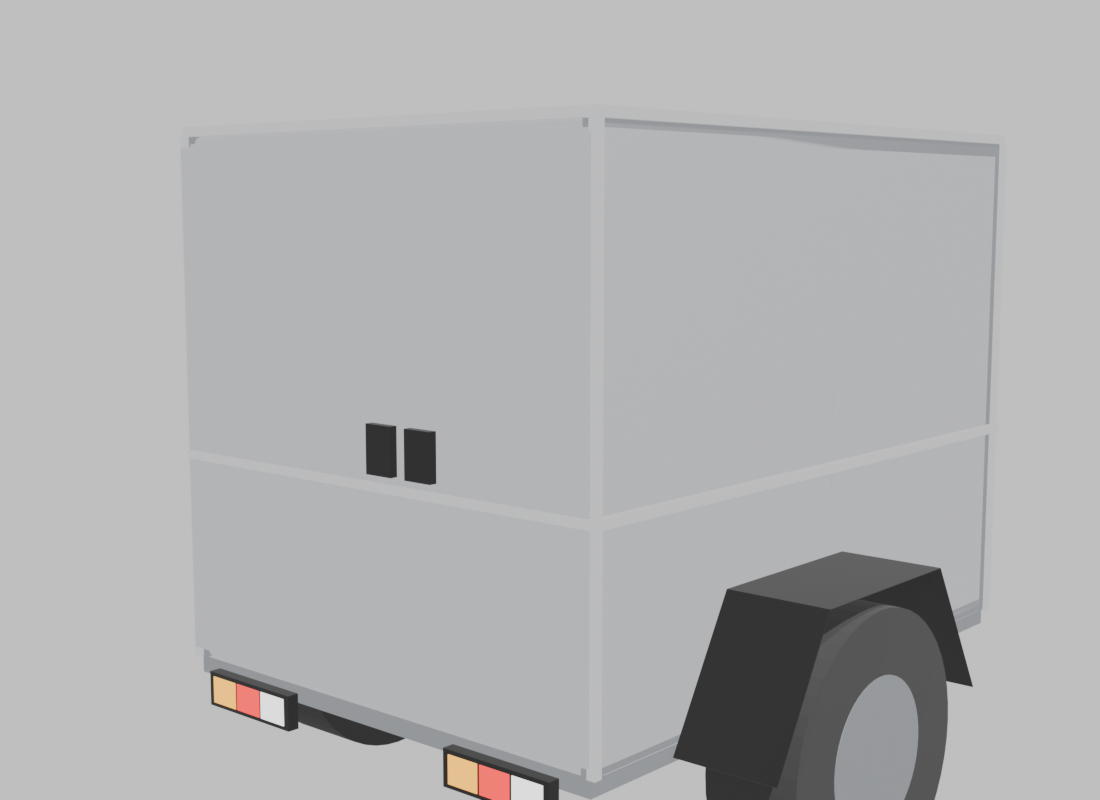
The first parametric build was wrong in sixteen ways, and that turned out to be the method working. Anthony reviewed it against photos of the real trailer and called corrections in plain language — "the A-frame is part of the base", "mudguards are 60° not 45°", "2mm plate not 4", "handles at 70cm" — and each correction became one line in the parameter block, one re-run, one render to check. Version 3 carries them all: A-frame joining 200mm out with a 400mm hitch section, jockey on the right member, polygonal prow with its own door running from the belt trim to the ceiling, 900+600 rear doors, RV paddles at their measured heights, 25mm stainless corner + belt trim, twin LED bars inset 100mm. 56 named parts, 1,740 triangles.
The parts shop — buy, don't build
Off-the-shelf components deserve off-the-shelf models. Because every fitting is its own object, a downloaded model of the real SKU swaps in place of a primitive stand-in without touching the rest — the configurator logic is exactly this swap. Where to shop: Sketchfab (the big general library — filter downloadable, take the GLB; also searchable in-chat via the ahujasid harness), BlenderKit (asset browser inside Blender, free tier), GrabCAD and manufacturer CAD (real SKUs — couplers, jockey clamps, lamp housings — as dimensionally exact STEP files; convert STEP→GLB with FreeCAD), PolyHaven (CC0 scene assets, materials, HDRIs), and paid TurboSquid / CGTrader for hero-grade props. Rule of thumb: structure is parametric and yours; catalogue parts are downloaded; only the genuinely custom gets modelled by hand.
The five-word grammar (learned live, day one)
Everything the configurator does reduces to vocabulary picked up in one viewport session: a scene is objects (tokens you arrange); each object owns an origin (the point it moves and rotates around — wrong origins were this build's first real bug); Separate (P) carves a chunk of fused mesh into its own object and Join (Ctrl+J) reverses it; parenting makes parts travel together while staying swappable. Object Mode arranges tokens; Edit Mode reshapes one thing. Isolate (/) is only a viewing trick — the reason a wheel can roll away from the trailer is that it's an object, not that you can look at it alone.
2 · The pipeline
Render the intent
Words → image (Nano Banana / Higgsfield). Locked prompts beat freehand — the June study's rule. The image is the design decision.
Generate the mesh
Image → GLB via a fast generator: Rodin (proven above), Hunyuan3D 3.0 / TRELLIS self-hosted in ComfyUI, or Higgsfield generate_3d already in the stack.
Implement in Blender
The LLM drives Blender through the MCP bridge: import, scale to SPEC v1.3 (2500mm overall), inspect, render checks.
Segment + name the parts
Fused mesh → separate objects: body · door_rear_L · door_rear_R · door_front · wheel_L · wheel_R · drawbar · solar_panel · trim · awning — the freelancer brief's naming, verbatim.
Export to the configurator
glTF/GLB, PBR materials, web poly budget → BYOT / the Vren unlock×level configurator swaps parts live in the browser.
3 · Tool radar — August 2026
Harnesses — words → Blender
| Tool | What it is | Status |
|---|---|---|
| Blender Lab MCP (official, v1.0) | Blender Foundation's own MCP add-on — full Python API, Blender 5.1+. Raw TCP bridge on localhost:9876; executes LLM code with no guards, so it stays loopback-only. | Live · proven |
| blender-mcp (ahujasid) | The community harness that started the wave — 23.5k stars, with PolyHaven / Sketchfab / Rodin / Hunyuan3D hooks built in. | Option |
| BlenderLLM | Small open model trained on BlendNet to write bpy code — runnable locally at $0. | Watch |
| 3D-Agent and addon plays | Commercial text-to-3D addons inside Blender. | Watch |
The pattern is model-agnostic: the GPT-5.6 Sol + Blender demos making the rounds run the identical MCP loop — and the operator's own verdict was "the world of 3D via Blender's MCP is safe for now". The harness is commodity; taste and spec-discipline are the edge.
Image → mesh generators
| Tool | State | Fit |
|---|---|---|
| Hyper3D Rodin | Best geometry fidelity from a single image; via fal.ai pay-per-use. Full field review → | Proven on the trailer — see §1 |
| Hunyuan3D 3.0 | State-of-the-art open weights, runs in ComfyUI; the self-host lane at $0. | Next build (Studio GPU) |
| TRELLIS (Microsoft) | Fast open image-to-3D; the other credible self-host option. | Alternative for the ComfyUI lane |
| Meshy 6 · Tripo | The balanced hosted tools — PBR texturing, topology controls, free tiers. | Hosted fallback |
| Higgsfield generate_3d | Image → GLB, already connected in the Articulate stack. | Have |
The consensus across every 2026 comparison: prototype quality is easy now; production quality is not. The named-parts, clean-topology last 20% is exactly what the configurator needs — and exactly what the harness + a trained eye closes.
Part-aware generation — the configurator unlock
| Tool | What it does | Why it matters |
|---|---|---|
| CubePart (Roblox · CMU · Stanford, SIGGRAPH 2026) | Text prompt + a parts schema you name → one mesh per part, assembling into a coherent object. Open code + HF demo. | Generates the freelancer brief's deliverable — separate named swappable parts — natively |
| PartCrafter | Generate-in-parts, image-driven. | Same idea from an image |
| 3D AI Studio · Neural4D segmentation | AI splits an existing fused mesh into clean parts. | The repair path for §1's fused Rodin mesh |
Parametric CAD from AI — the accuracy anchor
Tested in the June v3 study: Zoo (Zookeeper agent, plus a text-to-CAD Blender addon), AdamCAD, CadQuery-from-LLM. The June parametric GLB proves the trade: exact SPEC dimensions, sterile finish. CAD gives truth, generators give beauty — the production pipeline uses both.
4 · The training programme
The trailer is the only subject; by day 7 the operator judges any GLB against the brief's criteria unaided.
| Day | Session | After it, you can… |
|---|---|---|
| 1 | Mesh anatomy. Verts, edges, faces, normals — dissected on the Rodin mesh from §1. | Say why a mesh looks faceted, inside-out or broken |
| 2 | Objects vs meshes, origins & pivots. Blockout from SPEC v1.3 dims. | Explain why a door needs its own object and where its pivot goes |
| 3 | Modifiers & booleans. Cut the three door openings; bevel the aluminium edges. | Make non-destructive edits, know when to apply |
| 4 | Parts, naming, hierarchy. Separate, name to the brief's convention, parent handles to doors. | Turn a fused mesh into configurator-ready parts |
| 5 | Materials & UVs. PBR: base colour, metallic, roughness; brushed vs polished aluminium. | Recolour a part, judge texture quality |
| 6 | Export + web check. glTF/GLB out, load in a browser viewer, read the numbers. | Ship a GLB and verify it yourself |
| 7 | Test day. Run the bake-off below, score, pick the pipeline. | Add a door or wheel variant to the winning model |
5 · The 3-method test
Same input everywhere — the v9 render + SPEC v1.3. Same scorecard — the freelancer brief's acceptance criteria: separate correctly-pivoted named parts · proportions match · loads clean in a web viewer · real-time poly budget.
| Method | Pipeline | Status | Failure mode |
|---|---|---|---|
| A — image→mesh + LLM implement | Rodin (fal.ai) → GLB → Blender via MCP → segment + name | Ran 15 Aug — 23,332 tris, fused mesh as predicted; §1 is the receipt | Fused single mesh; soft hard-surface edges |
| B — part-schema generation | CubePart / PartCrafter with the brief's parts list → pre-named separate meshes → scale to SPEC | Queued | Part boundaries in odd places; proportion drift |
| C — parametric + generative finish | CadQuery / Zoo from SPEC dims → Blender bevels + PBR by hand | Control (June GLB exists) | Most work, least "designed" feel — dimensionally perfect |
6 · Project map + field notes
| Surface | What it is |
|---|---|
| trailer.articulate-ai.work | The June design study — v1–v9, five AI mesh routes tested, SPEC v1.3 locked (1500×1500×2000 body, 2500 overall) |
| byot.articulate-ai.work | The configurator front end — 9 configurations, 25 cladding colours |
| Vren configurator concept | Unlock × level mechanic, persona presets, Camp Score, environment layer — the emotional architecture the meshes feed |
| Freelancer brief (June) | Blender → glTF, modular named parts, three milestones — retired as an outsourcing plan, kept as the in-house scorecard |
Field notes, August 2026: the GPT-5.6 Sol Blender demos confirm the harness pattern is commodity — any frontier LLM through MCP. The interesting frontier is part-aware generation (CubePart's schema-in, named-parts-out) and open self-hosting (Hunyuan3D 3.0 in ComfyUI). The June lessons still hold: feed real input, lock the prompt, generate fresh rather than edit, and look at every output before shipping.