Rodin: a shape camera, not a modeller
Hyper3D Rodin is an image-to-3D generator: give it one or more photos or renders, get back a textured GLB mesh in under a minute. Everything below comes from running it on our own trailer on 15 August — the receipts are on the front page.
What Rodin is
A diffusion-style 3D generator from the Deemos team, reachable three ways: the hyper3d.ai web app, its own API, or pay-per-use through fal.ai (the route we use — no subscription, roughly $0.40 a Sketch-tier generation). It looks at the pixels of your image and infers a solid shape that would photograph that way. That framing — infers a shape that would photograph that way — explains both columns below.
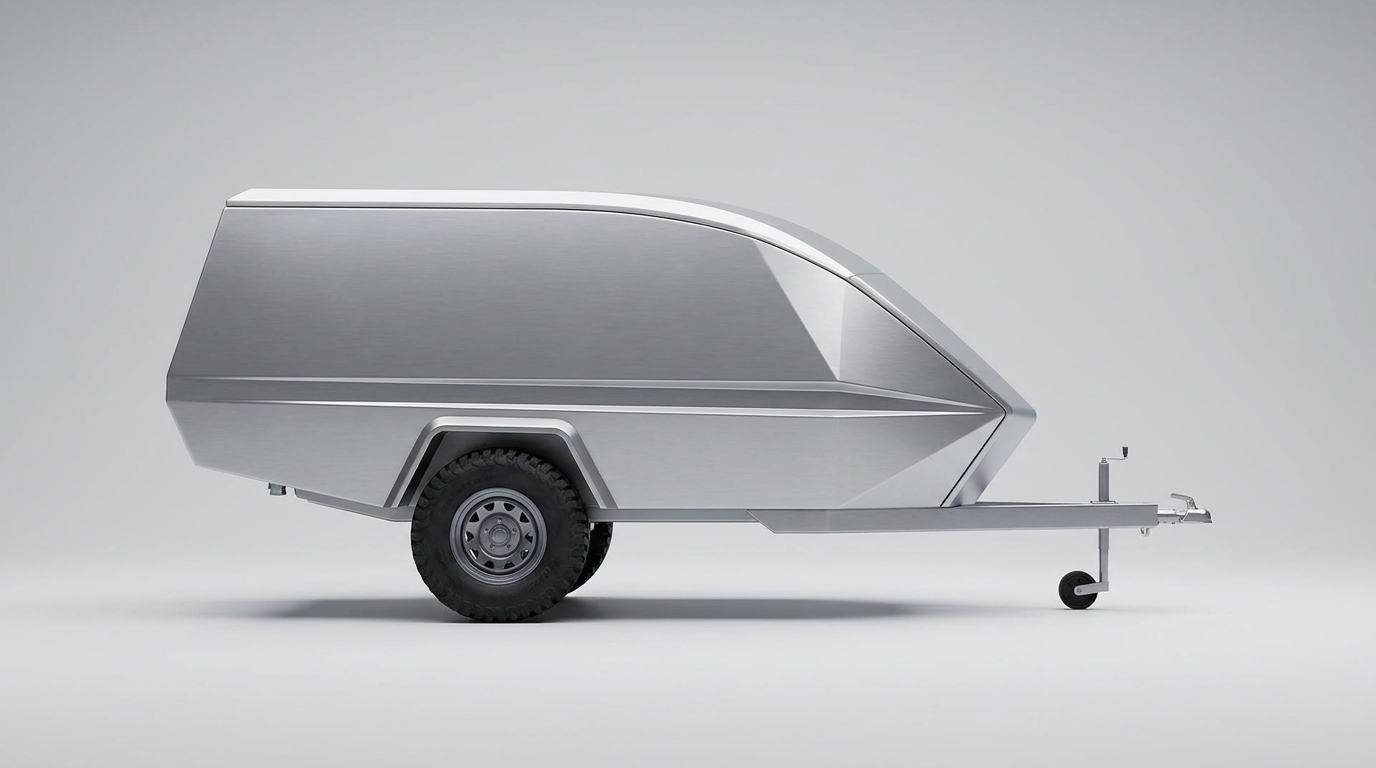
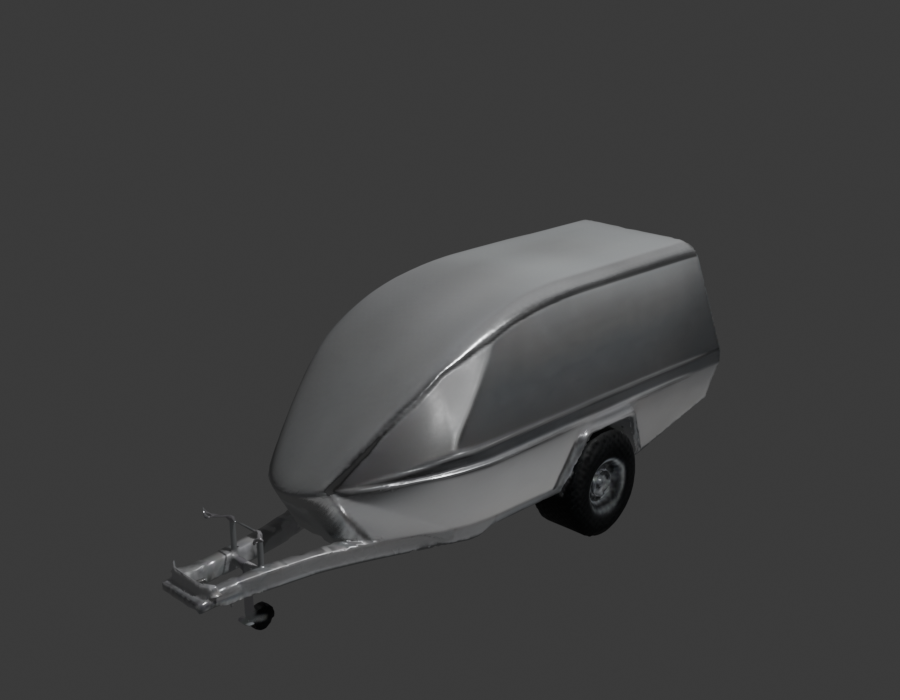
The verdict from our own test
✓ What it does well
- Shape capture from a single image. Proportions, the raked nose, the drawbar, even the jockey wheel — recognisably our trailer from one photograph.
- Speed and cost. Under a minute, under a dollar. Iterating on silhouettes costs nothing meaningful.
- Watertight, renderable meshes. The GLB imported into Blender first try, normals sane, textures attached — no repair pass needed just to look at it.
- Organic and rounded forms. Tyres, soft radii, moulded shapes — the things that are slow to model by hand are exactly what it's best at.
- Concept-to-artefact. For "show me this design as a thing I can orbit" it replaces hours of modelling with a coffee break.
✗ What it does badly
- One fused blob. No parts. Wheels, doors, drawbar — all one object. A configurator needs ten named objects; Rodin gives one.
- Tri-soup topology. 23,332 irregular triangles where a builder needs ~1,500 clean faces — the "thousands of phantom meshes" seen in wireframe. Edits fight the mesh everywhere.
- Soft hard edges. Panel creases and folded aluminium come back gently melted. It sculpts what metal looks like, not how metal folds.
- No real-world scale. Ours arrived at 0.66 × 1.9 × 0.82 m against a 2.5 m spec. Dimensions are decorative until you impose them.
- Invents the unseen. Whatever the photo doesn't show — the far side, the underside — is guessed, sometimes wrongly.
- No construction logic. There is no frame under that skin, no pillars, no panel thickness. It cannot know a trailer is steel + folded ACP; it has only ever seen the outside.
Why it fails where it fails
None of the failures are bugs. Rodin is a shape camera: it reconstructs a plausible surface from appearance. Parts, pivots, wall thickness, weld lines and dimensions are not appearance — they're intent, and intent lives with the builder. That's why the fix for every weakness is the same: a Blender pass that imposes intent on the captured shape — scale it to the spec, separate it into objects, name them, sharpen the folds. The capture is cheap; the intent is ours.
Getting the best out of it — the working rules
| # | Rule | Why |
|---|---|---|
| 1 | Feed it multiple views. Front ¾, side, rear ¾ of the same design (multi-image mode) instead of one photo. | Kills most far-side hallucination; the single biggest quality lever |
| 2 | Use clean, neutral inputs. Studio renders on grey — exactly our locked-prompt v9 style. No clutter, no dramatic shadows, whole object in frame. | Shadows and crops read as geometry; the June "lock the prompt" lesson applies to the generator too |
| 3 | Step above Sketch tier for keeps. Sketch for iteration; Regular/Detail tier + quad mesh option for anything that goes into production. | Sketch is the drafts pile — fast, soft, cheap |
| 4 | Constrain proportions when you know them — pass the bounding-box condition (our SPEC ratio 1500:1500:2500) with the job. | Stops the length/height drift we measured |
| 5 | Regenerate, never in-paint. Wrong detail? Fix the input image and run fresh. Editing generated output re-grows the flaw. | The same rule that finally produced the flat roof in June |
| 6 | Scale to spec the moment it lands in Blender — before any judgement, set overall length to 2500 mm and apply. | Every visual assessment at wrong scale is a wasted assessment |
| 7 | Budget the Blender pass, always. Separate (P) the wheels/doors, name to the manifest, bevel the folds sharp. ~1 hour of pass beats 6 hours of modelling from zero. | Rodin does the first 80%; the pass is the 20% that makes it usable |
| 8 | Use it for what it's best at. Tyres, awnings, organic accessories, concept props — and let the parametric build own the structure. | Shape camera for looks; parameters for truth |
Its place in our pipeline
Rodin is stage 2 of the five-stage pipeline — the generator — and it competes there with Hunyuan3D 3.0 (self-hosted, $0) and part-aware tools like CubePart. The production recipe this test settled: parametric frame and panels for structure (they carry the spec), Rodin for the organic pieces (they carry the look), joined and named in Blender by the pass in rule 7. Full comparison on the tool radar; hands-on skills in the 30-day programme — the Blender pass is Days 4–6 and 22–25.